Only people from your college
Share the ride to campus.
Someone from your college is probably driving your way. Travoa matches you, shows the fare before you book, and you pay the driver directly by UPI or cash.
Free to join · No ads · iPhone app coming soon
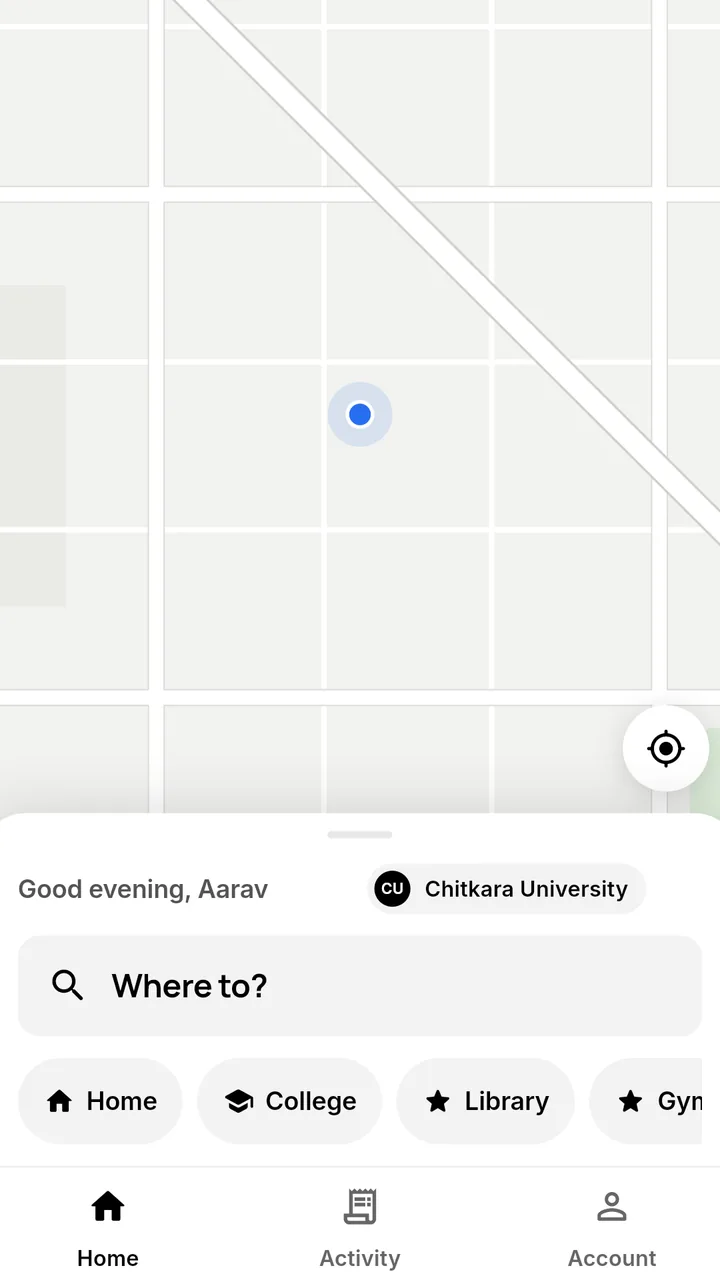
- Verified college emailEveryone you ride with is from your campus.
- Fare before you book₹10 plus ₹6 per km, per seat.
- Pay the driver directlyUPI or cash. Travoa never holds your fare.
- Safety on every tripTrip PIN, live map, report and block.
For riders
Four steps from “Where to?” to drop-off.
Ride now or schedule up to 7 days ahead. Book one seat or more.
-
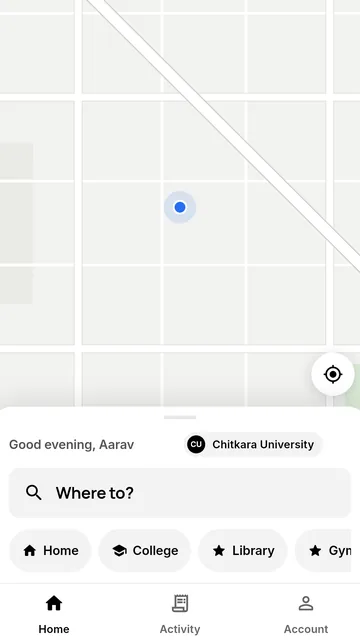
1Say where you’re going
Enter your pickup and drop-off. Travoa finds drivers from your college whose route passes nearby.
-
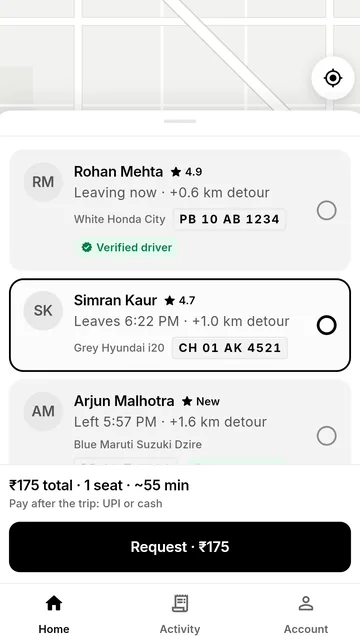
2Choose your driver
Compare name, rating, car, number plate, detour and departure time. Look for the Verified driver badge.
-
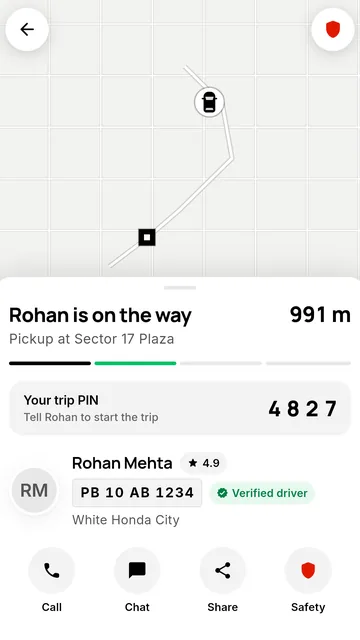
3Start with your trip PIN
Follow your driver on the map. Tell them your 4-digit PIN, so you know you’re in the right car.
-
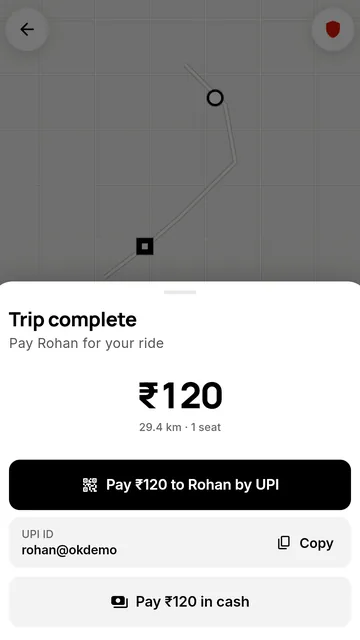
4Pay the driver
From your own UPI app or in cash. Add the UPI reference if you like, and the driver confirms it.
For drivers
Fill the empty seats on a drive you already make.
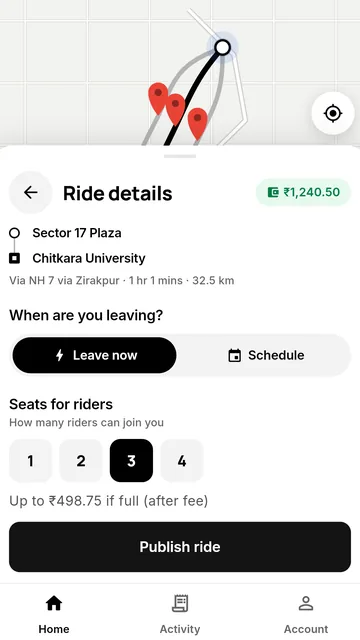
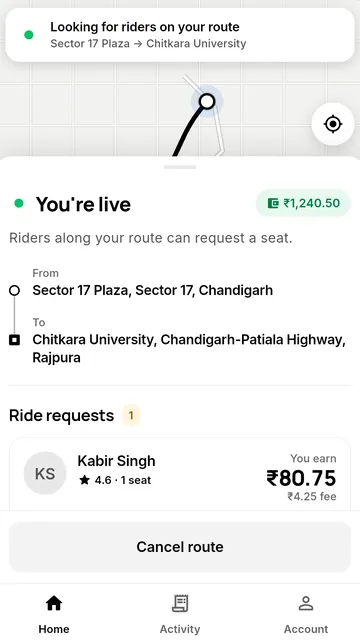
- Offer seats now or up to 7 days ahead. Riders along your route request a seat, and you choose whom to accept.
- Every request shows what you earn after the fee, before you accept.
- Riders pay you directly by UPI or cash. Travoa’s fee is 5% of the fare, taken from your in-app wallet.
- Add your driving licence and RC, and your campus can give you the Verified driver badge.
Fares
One simple fare, shown before you book.
Distance is measured in a straight line from your pickup to your drop-off, so the driver’s detour never costs you extra.
The 5% Travoa fee is paid by drivers from their wallet. It is never added to your fare.
₹10 + ₹6/km
per seat
| Trip | 1 seat | 2 seats |
|---|---|---|
| 5 km | ₹40 | ₹80 |
| 12 km | ₹82 | ₹164 |
| 20 km | ₹130 | ₹260 |
Safety
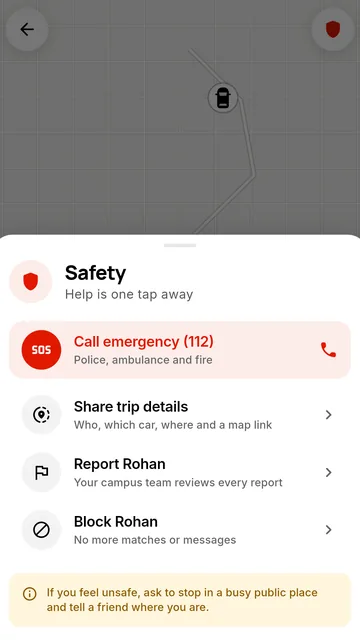
Help is one tap away, on every trip.
- Call 112 or share your tripSend someone you trust who you’re with, the car and its location on a map.
- Trip PINThe trip starts only when the driver enters your 4-digit PIN.
- Report or block anyoneYour campus team reviews every report. People you block can’t be matched with you or message you.
- Ratings after every tripRiders and drivers rate each other, and chat in the app.
Privacy
Your details stay between you and your ride.
-
No ads, no trackers
We don’t show ads, use advertising trackers or sell your data.
-
Phone number only when needed
Shared only with the person you’re riding with, and only while the ride is under way.
-
Chat doesn’t linger
Trip chat is deleted 90 days after the ride.
-
Leave any time
Delete your account in the app: Account → Delete account. How it works
For colleges and institutions
Bring Travoa to your campus.
Members join with your college’s email domain, so every ride stays inside your community. Your campus team gets its own dashboard.
- Review drivers’ licences and RCs. We can make approval a requirement before anyone at your campus drives.
- Handle safety reports from your members.
- See how your campus is using Travoa.
Is your college on Travoa?
Sign in with your college email to find out. Not there yet? Ask us to add it from the sign-in screen.
Questions
Good to know
Who can join?
People aged 18 and over at participating colleges and institutions. You sign in with your college email and a one-time code.
How much does a ride cost?
₹10 plus ₹6 per km per seat, with distance measured in a straight line from pickup to drop-off. You see the total before you request a seat.
How do I pay?
After the trip, pay the driver directly from your own UPI app or in cash. Travoa never holds your fare. See the refund policy for anything that goes wrong.
Can I book ahead?
Yes. Ride now, or schedule a ride up to 7 days ahead. Drivers can offer seats up to 7 days ahead too.
What does a driver pay to use Travoa?
A 5% fee on each fare, taken from the driver’s in-app wallet. Drivers top the wallet up with Razorpay.
Who sees my phone number?
Only the person you’re riding with, and only while the ride is under way. Everything else stays in the app.
How do I delete my account?
In the app: Account → Delete account. You can also ask us to delete it.

Your campus, going your way.
Pre-register now and we’ll let you know when Travoa is ready.
Pre-register on Google Play